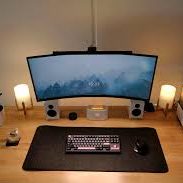

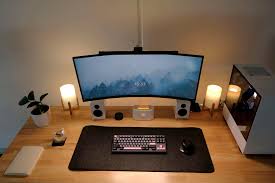
The way your workspace is set up can have a significant impact on eye comfort. Poor positioning or lighting can increase strain, while proper setup reduces discomfort.
Start by adjusting your monitor height and distance. The top of the screen should be at or slightly below eye level, and the screen should be about an arm’s length away. This reduces the need for excessive neck and eye movement.
Screen brightness and contrast should match the ambient lighting. Too bright or too dim screens can cause eye fatigue. Position your workstation to avoid glare from windows or overhead lights. Anti-glare screen filters can also help minimize reflections.
Additionally, consider ergonomic seating and posture. Sitting upright with shoulders relaxed and feet flat on the floor can reduce physical strain, which indirectly helps maintain eye comfort.
By optimizing your workspace and screen setup, you can significantly reduce the risk of eye discomfort and create a more comfortable environment for extended computer use.